Email Channels
Settings → Channels turns a mailbox into a ticket queue.
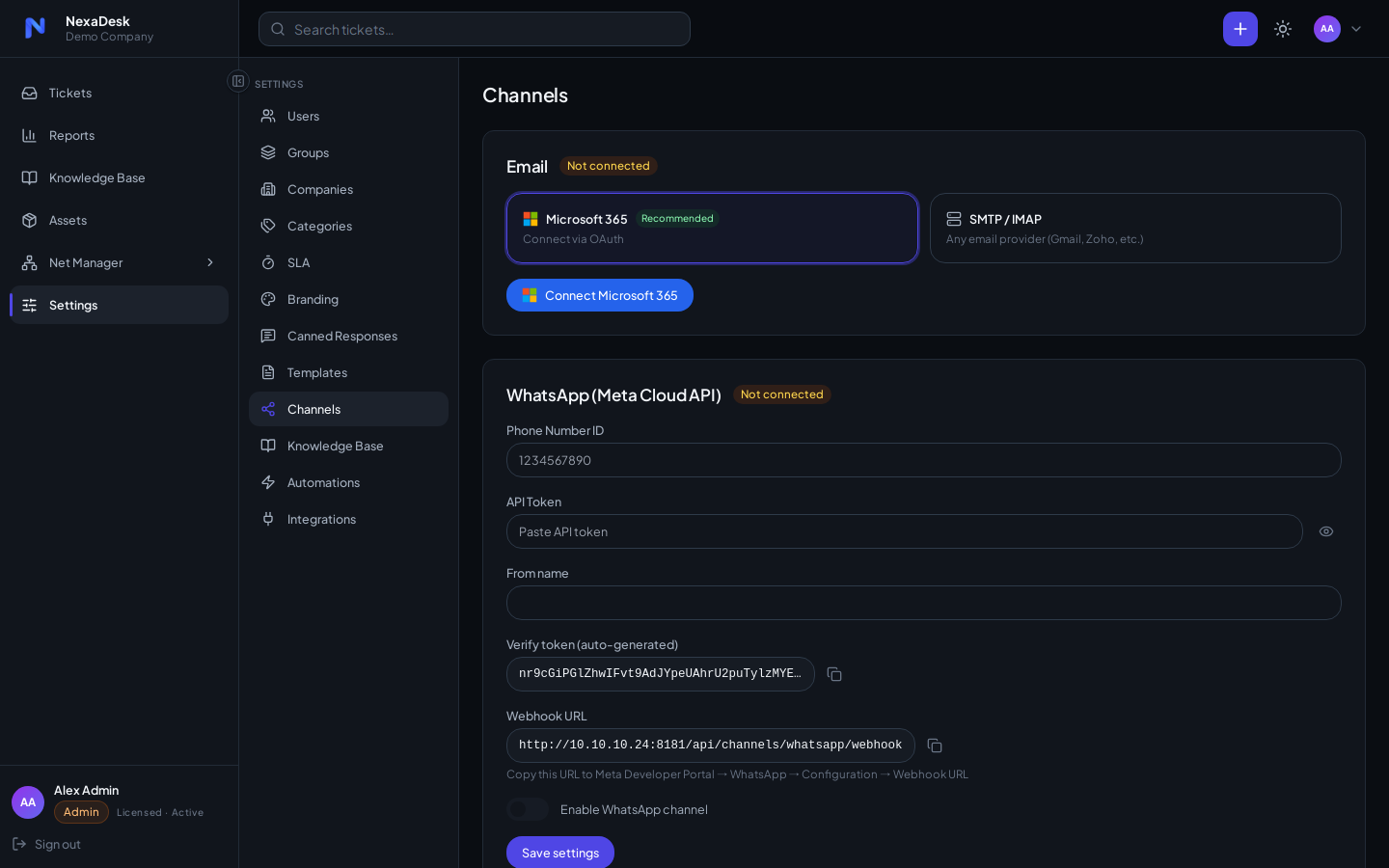
Microsoft 365 (recommended)
Connect via OAuth — no stored passwords:
First set the app keys
Before connecting a mailbox, an admin must enter the Microsoft Graph app keys under Settings → Integrations → Entra ID. Those keys drive this OAuth flow.
- Click connect on the M365 card and sign in with the mailbox account.
- Grant the requested Graph permissions.
- New mail in the mailbox becomes tickets; staff replies are sent back through the same mailbox via Microsoft Graph.
SMTP / IMAP
Any standard mailbox works:
- IMAP side ingests new mail on a configurable poll interval, from a folder of your choosing
- SMTP side sends replies and notifications
- Credentials are stored encrypted; the UI never displays saved passwords (you'll see a configured flag instead)
Test buttons verify both directions before you commit.
How ingestion behaves
- New email from an unknown sender → requester auto-created, ticket opened
- Replies to existing ticket threads append to the same conversation
- Staff replies from inside NexaDesk are emailed to the requester automatically
Notifications
Outbound notifications (assignment, replies, CSAT invitations, password resets) go through the connected channel. If no channel is connected, NexaDesk still works — it just can't email anyone.